The core of a haul
Combining items into one parcel
Combining is the reason people run hauls at all. Items bought from different sellers, on different days, all arrive at the same warehouse. When you decide they should leave together, they become one parcel with one opening charge instead of several.
The operator states the case in its own help centre: combining gives professional packing and saves on international shipping compared with separate shipments (checked 4 August 2026). What follows is that claim taken apart, so you can tell when it is true for your box and when it is not.

The arithmetic
What combining actually saves
Freight is priced in blocks. A parcel buys a first weight, then further steps of weight, then one handling fee. Everything you save by combining comes from not repeating the first weight and the handling fee.
The operator's own example uses an express route to the United States with a first weight of 500 g at 30 USD, each further 500 g at 10 USD, and a handling fee of 1 USD per parcel. Three items weighing 700 g, 1100 g and 1600 g cost 153 USD as three parcels and 91 USD as one, a difference of 62 USD, which is exactly two first weights and two handling fees (checked 4 August 2026).
Those rates are the operator's illustration, not a live quote, and they depend on route and destination. The calculator below starts from them and lets you replace every number with what your own account shows.
Combine or split, with your own rates
Put in the weights sitting in your warehouse and the rates from your quote. The numbers are prefilled with the operator's published example so you can see the shape of it before you change anything.
How to combine, on the actual screens
Five steps, all of them after the goods have been paid for. Nothing here needs a support ticket.
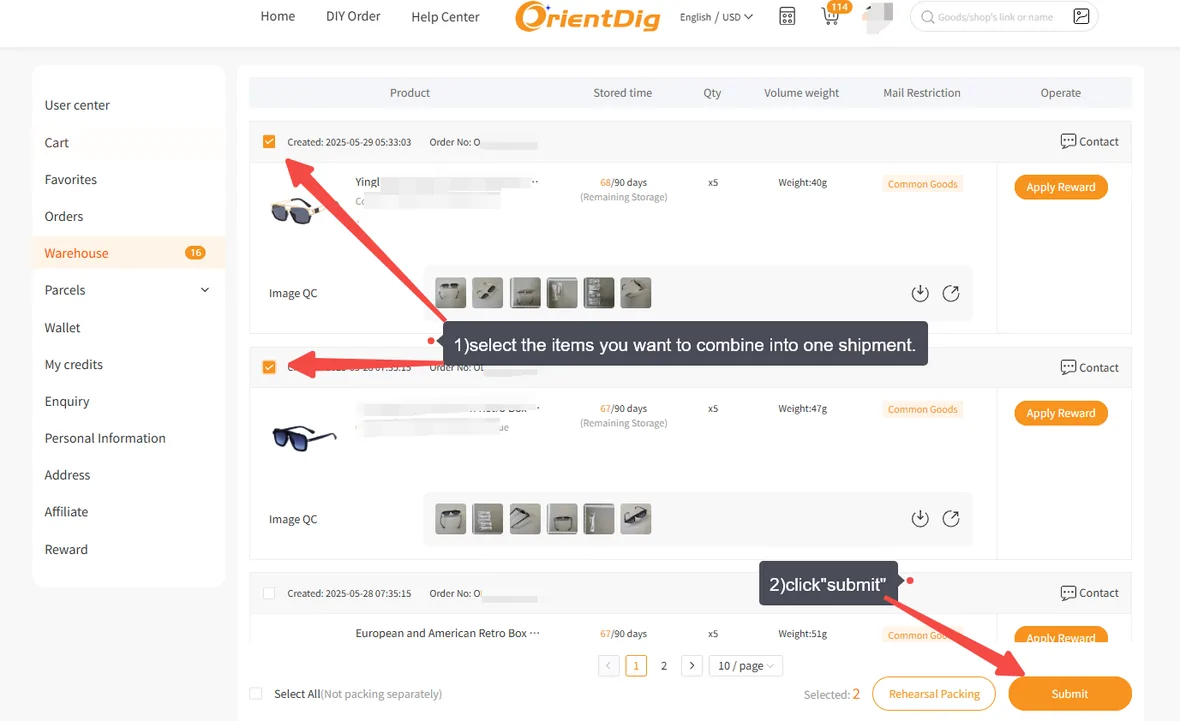
Wait until the haul is complete
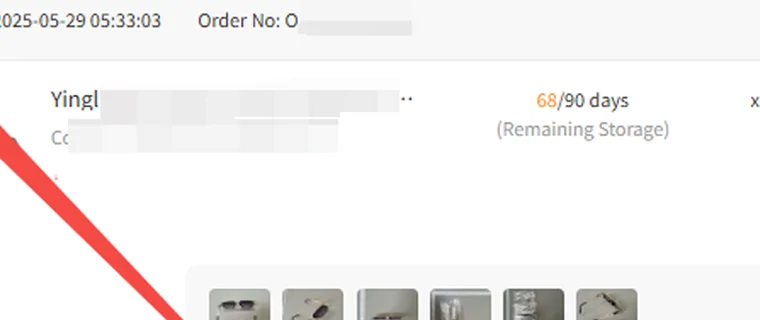
Every item has to have arrived and been checked in before it can be selected. Items still in transit inside China are not in the warehouse yet, and the countdown on the ones that landed first keeps running while you wait.
Open the warehouse and tick the items
Each row shows quantity, weight, a goods type tag and the remaining storage days, along with the quality photos taken on arrival. Tick what travels together.
Check the destination address before anything else
The operator marks this step as very important in its own annotation, and it is the one thing on the screen that cannot be corrected once the parcel is moving.
Choose packing, add-ons and declaration
Removing outer packaging is a switch. Reinforcement and wrapping are picked from a priced list. The declaration choice sits here too.
Pick a route and pay the deposit
The routes offered depend on your destination and on what is in the box. What you pay now is an estimate, trued up when the courier weighs the parcel.
How to choose between one parcel and two
Combining wins on price almost every time. It loses on the things price does not measure, and those are the cases worth naming.
One parcel suits
- several items with no deadline
- small dense goods that add weight slowly
- a destination where duty is charged per parcel rather than per value
- a haul where nothing is restricted
Two parcels suit
- one item needed sooner than the rest
- a box drifting towards the weight where parcels start to look commercial
- mixing a restricted item with everything else
- high value goods you would rather not lose in a single incident
What combining does not do
It does not reduce weight. It does not change duty rules at your border. It does not make a fragile item safer on its own, and it does not extend the window in which a return can still be requested for anything in the box.
It also does not protect you from the one failure mode specific to hauls: the whole parcel moves at the speed of the last item to arrive. If one seller is slow, everything else in the warehouse ages while you wait, and the storage countdown on those items does not pause because you are being patient.