
Definition
The OrientDig Spreadsheet, and where it hands over
The OrientDig Spreadsheet is the set of product cards you browse before you order anything: a picture, a name, the marketplace the item sits on, and a link that opens the actual shop. Ours is grouped by category and held more than 20,000 listings when we counted it in August 2026.
It is a shop wall to walk along, not a document to read. You open cards, keep the ones you want, and hand their links to OrientDig. The name is a leftover from years ago, when communities really did trade finds in shared files, and it stuck long after the thing itself changed shape.
Why use the Spreadsheet at all, rather than searching the marketplaces yourself? Because somebody has already done the part that is hard from outside China: found the shop, checked that the link resolves, and put the item under a category name in English.
The OrientDig Spreadsheet and OrientDig are two different layers
This is the single most useful thing to understand before your first haul, because it tells you who to write to when something is wrong, and it explains why nobody on the catalogue side can tell you where your box is.
The listing layer
- decides what appears on the wall
- links out to Taobao, Tmall, 1688 or Weidian
- has no account, no balance and no parcels
- cannot cancel, refund or reroute anything
The agent layer
- takes the link and buys the item
- holds your balance and your address
- stores, combines, packs and ships
- answers about parcels, refunds and claims
What a card is good for, and what it cannot promise
A card is a pointer. It tells you the item exists, where it lives and what it looked like when somebody added it. It is not stock, not a price guarantee, and not a quality verdict. Sellers change listings, run out, or quietly swap the version being sold under the same title.
For a haul this matters in a specific way. The moment you order, the item starts existing in two places at once: as a card you can still look at, and as a line in your warehouse with a countdown on it. The card stops being relevant the moment the item arrives. From then on the questions are weight, volume, packing and timing.

From wall to box
How items from the Spreadsheet become one parcel
Step by step, with the parts this guide covers marked. Nothing here is specific to us: it is the operator's own flow, described from the point of view of somebody assembling several items rather than buying one.
Open a card and follow its link
The link goes to the marketplace listing. Check the options there, because colour, size and quantity are chosen on the agent side afterwards and a listing with the wrong variant is the most common cause of a wasted return window.
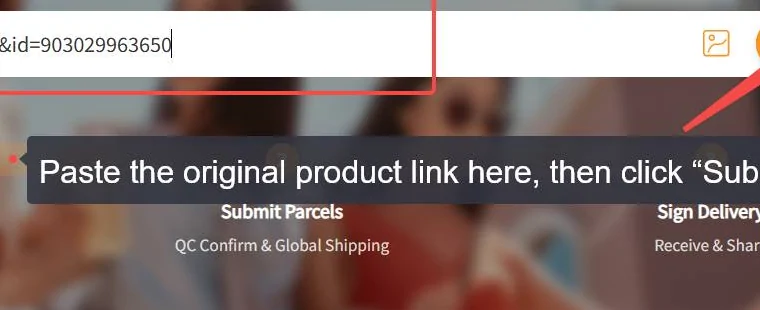
Paste it into OrientDig and pay for the goods
This first payment covers the item and the seller delivery inside China. The agent buys it and the seller ships it to the warehouse.
Let it be checked in, then leave it there
The warehouse photographs what arrives. The item now has a storage countdown, and a much shorter window in which a return can still be requested.
Repeat until the haul is complete
This is the part that separates a haul from an order. Each new item joins the same warehouse, and each one starts its own countdown on the day it lands, not on the day you started shopping.
Tick them all and submit one parcel
The combining screen is where the money is decided. One first weight, one handling fee, one set of packing choices, one declaration.
Where to browse next
Browsing happens on the catalogue. Ordering, quality photos, parcels and refunds happen on the official site. These are the two destinations this guide points at, and we label every outbound link with which one it goes to.
What this guide does differently
Most listing sites stop at the link. This one starts there and keeps going into the part that costs money later: whether two items can share a box, what the packing toggle does to the weight, how long the warehouse will hold things while you wait for the third item to arrive.
How this list is kept matters more than how long it is. Every outbound route here was opened and checked rather than assumed, because dead links are the usual way a guide like this rots. Anything numeric carries the date we read it, and the pages say plainly when the operator's own wording is the only source there is.
What it is not: a stock feed, a price guarantee or a verdict on quality. For the moment an item exists on a seller's page, the seller's page is still the better evidence.
How to judge a spreadsheet site before you trust it
What makes a good spreadsheet is boring and checkable. Open five links at random: if two of them are dead, the list is not maintained, whatever the front page claims. Look for a date on the facts rather than a date on the page template. Check whether anything on the site tells you what the agent does not cover, because a list that only ever agrees with the operator is an advert with a table in it.
Then look for the boring signals. Is there a named operator and a working address to write to? Does the site say where a number came from? When the operator publishes its own answer to something, does the guide point at it or quietly paraphrase it?
Apply the same test here. The operator answers a short list of questions itself, and anything on this site that contradicts those answers is wrong until we fix it.